> ## Documentation Index
> Fetch the complete documentation index at: https://docs.sentivel.com/llms.txt
> Use this file to discover all available pages before exploring further.
# Account, teams & roles
> Invite your team, set roles, and secure your account.
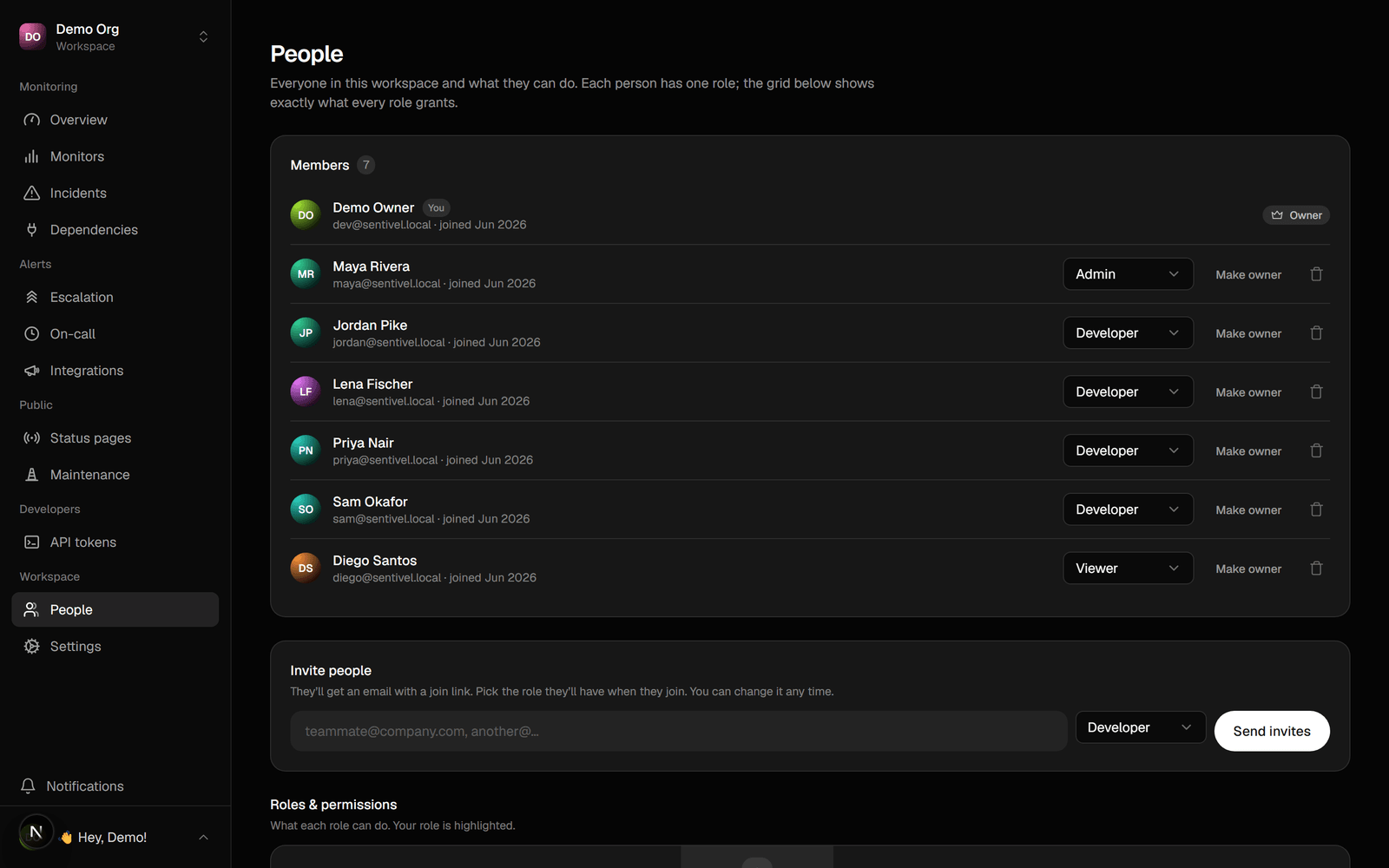 A workspace is your team. You invite people by email, give each a role, and manage
how you personally get paged and sign in.
## Roles
Sentivel has four fixed roles. Capabilities follow from the role; there's nothing
custom to configure.
| Role | Can do |
| ------------- | ---------------------------------------------------------------------------------------------------------- |
| **Owner** | Everything, plus billing, workspace deletion, and ownership transfer. Exactly one per workspace. |
| **Admin** | Everything operational, plus managing people and workspace settings. No billing or deletion. |
| **Responder** | Operational work: monitors, components, incidents, status pages, acknowledge. Goes on call and gets paged. |
| **Member** | Read-only. Can't acknowledge. Never paged. |
The single owner can't be removed or self-demoted; the only exit is to transfer
ownership or delete the workspace.
## Invite people
Go to **Teams**, invite by email, and pick a role. The invite link is bound to
that email, so a forwarded link can't be claimed by someone else. New people set
up their whole account from the link.
## How you get paged
In your account you set your email and phone, and choose how escalations reach
you. By default it's every method you have set up. You can build a personal ladder
("email now, text after 5 minutes") and opt into a call. SMS and calls require a
verified phone; email always works.
Pause your own paging while you're away with holiday mode. Your team is still
paged.
## Security
* **Two-factor (TOTP).** Enrol an authenticator app; Sentivel enforces it at
login.
* **Password and sign-in email.** Change either from Account → Security. An email
change is confirmed from both the old and new address.
* **Sessions.** Sign out everywhere in one action.
* **Account deletion** needs a fresh emailed code on top of typing DELETE, and is
blocked if you're the sole owner of a shared workspace.
## Your data
Export everything Sentivel holds about you as JSON from Account → Privacy.
A workspace is your team. You invite people by email, give each a role, and manage
how you personally get paged and sign in.
## Roles
Sentivel has four fixed roles. Capabilities follow from the role; there's nothing
custom to configure.
| Role | Can do |
| ------------- | ---------------------------------------------------------------------------------------------------------- |
| **Owner** | Everything, plus billing, workspace deletion, and ownership transfer. Exactly one per workspace. |
| **Admin** | Everything operational, plus managing people and workspace settings. No billing or deletion. |
| **Responder** | Operational work: monitors, components, incidents, status pages, acknowledge. Goes on call and gets paged. |
| **Member** | Read-only. Can't acknowledge. Never paged. |
The single owner can't be removed or self-demoted; the only exit is to transfer
ownership or delete the workspace.
## Invite people
Go to **Teams**, invite by email, and pick a role. The invite link is bound to
that email, so a forwarded link can't be claimed by someone else. New people set
up their whole account from the link.
## How you get paged
In your account you set your email and phone, and choose how escalations reach
you. By default it's every method you have set up. You can build a personal ladder
("email now, text after 5 minutes") and opt into a call. SMS and calls require a
verified phone; email always works.
Pause your own paging while you're away with holiday mode. Your team is still
paged.
## Security
* **Two-factor (TOTP).** Enrol an authenticator app; Sentivel enforces it at
login.
* **Password and sign-in email.** Change either from Account → Security. An email
change is confirmed from both the old and new address.
* **Sessions.** Sign out everywhere in one action.
* **Account deletion** needs a fresh emailed code on top of typing DELETE, and is
blocked if you're the sole owner of a shared workspace.
## Your data
Export everything Sentivel holds about you as JSON from Account → Privacy.